Lakehouse & Transformation
Databricks Architecture
PrivateLink between control and data planes, customer-managed keys throughout, and dbt as the transformation layer.
01
Architecture Decisions
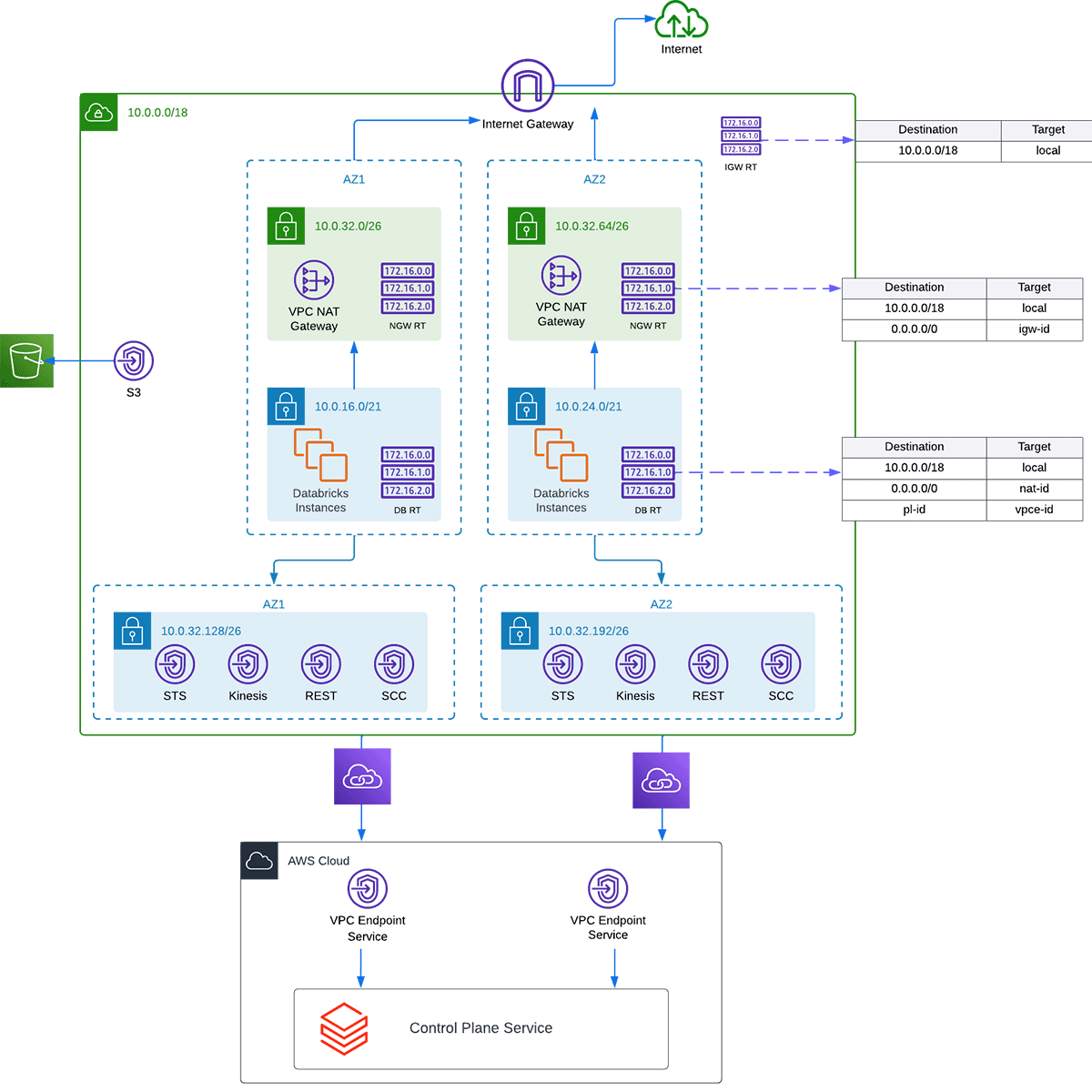
PrivateLink
Enables a private connection between the control plane and data plane. PrivateLink also redirects traffic from the data plane to the control plane using the NAT Gateway to VPC endpoints.
Endpoints
Routes traffic privately from the Databricks cluster to AWS-hosted services like S3, Kinesis, and STS. This reduces NAT Gateway data-processing cost while making the connection more secure by never reaching the public internet.
- S3 — needed not only for EC2 to reach the root bucket but also for the S3 buckets holding your data. Saves money and adds security by keeping S3 traffic on the AWS backbone.
- Kinesis — for internal logs collected from the cluster, including security and auditing information.
- STS — for temporary credentials passed to the EC2 instance.
Security groups —
cluster
cluster
Least privilege:
- Inbound — only traffic from within the cluster itself.
- Outbound — traffic to the cluster itself on any port; traffic to any IP through 443 (Databricks API, AWS API, library repositories), 80 (HTTP), 3306 (metastore), and 6666 (PrivateLink).
Security groups —
VPC endpoints
VPC endpoints
Least privilege:
- Inbound — only traffic from a Databricks cluster node on 443, 2443 (FIPS), and 6666 (PrivateLink); plus the Snowplow Databricks Loader EC2 on 443.
- Outbound — only traffic to a Databricks cluster node on 443, 2443, and 6666.
Encryption
Customer-managed keys (AWS KMS) encrypt all Databricks resources on the data plane, ensuring the Databricks AWS account is the only user with access (alongside my Terraform deployer account).
- Managed services key — encrypts the workspace's managed-services data in the control plane: notebooks, secrets, SQL queries, and query history.
- Workspace storage key — encrypts the workspace's root S3 bucket and the clusters' EBS volumes.
Data governance
All roles and permissions managed through Terraform — easy to keep track of who has what access.
02
dbt — Transformation Layer
Why dbt
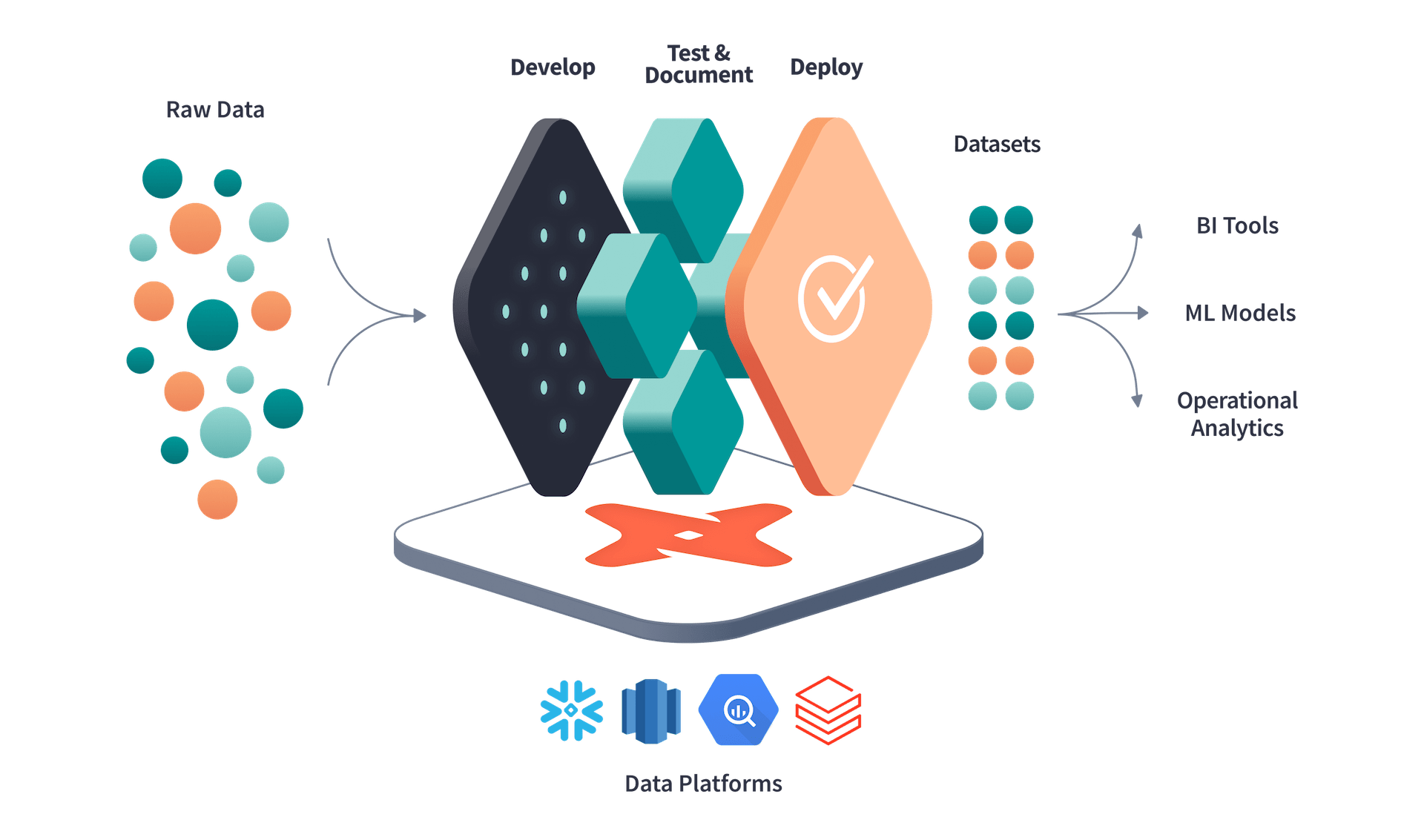
- Package library — many packages to choose from, including macros that make SQL easier. The Snowplow package lets me create standard Snowplow data models.
- Incremental loading — dbt only processes new data, so queries are much faster.
- Snapshots — very easy to set up as a macro, with almost no boilerplate.
- Unit testing — trivial to add column-level tests (unique, not null).
- Dependency management — dbt tracks all table dependencies, so orchestration order is handled for you.
- Open source — works on top of any SQL database, making it very versatile.
- Environment awareness — moving between environments is nearly effortless.
- Documentation — self-generated, in a clean and concise format.
Future recommendations
Set up a firewall; set up authentication.